Introduction
Technology has become an essential part of modern life, and software plays a major role in making technology useful. Whether you are using a smartphone, computer, tablet, smart television, or any other digital device, software is what allows that device to perform tasks and provide services. From browsing websites and sending emails to creating presentations and editing videos, software makes it possible for users to interact with technology efficiently and effectively.
Software is a collection of programs, instructions, and data that tell a computer how to perform specific tasks. Unlike hardware, which consists of physical components such as the monitor, keyboard, processor, and storage devices, software exists in digital form and cannot be physically touched. Hardware provides the structure of a computer system, while software provides the intelligence that makes the hardware useful.
Among the various categories of software, application software is one of the most commonly used. It is specifically designed to help users perform particular tasks such as writing documents, creating spreadsheets, editing photos, browsing the internet, communicating online, and managing information. Application software directly interacts with users and helps them complete their daily activities more efficiently.
Software has transformed nearly every aspect of modern society. Businesses use software to manage operations, schools use it to support learning, hospitals rely on it for patient care, and individuals depend on it for communication, entertainment, and productivity. As technology continues to evolve, software becomes increasingly important in both personal and professional environments.
Quick Answer
Software refers to all programs, instructions, and data that enable a computer or digital device to function. Application software is a specific type of software created to help users perform particular tasks such as word processing, web browsing, communication, multimedia editing, and data management.
Key Takeaways
- Software provides instructions that control computer operations.
- Software is divided into system software and application software.
- Application software helps users perform specific tasks.
- Popular examples include Microsoft Word, Excel, Google Chrome, and Adobe Photoshop.
- Application software improves productivity, communication, and efficiency.
- Modern businesses, schools, and organizations rely heavily on application software.
- Software is essential for the operation of all digital devices.
- Technological advancements continue to expand software capabilities.
What Is Software?

Software is a set of programs, procedures, and instructions that direct a computer system to perform specific operations. It acts as the link between users and computer hardware, enabling devices to execute commands and complete tasks.
A computer cannot operate effectively without software because hardware alone lacks the instructions required to perform operations. Software enables users to interact with devices and utilize their capabilities for various purposes.
Software is responsible for:
- Managing computer resources
- Executing commands
- Processing information
- Running applications
- Controlling hardware components
- Supporting communication and networking
- Managing files and storage
- Providing security and protection
In simple terms, software tells a computer what to do and how to do it.
Importance of Software
Software is the foundation of modern computing. It enables organizations, businesses, educational institutions, and individuals to perform tasks quickly, accurately, and efficiently.
Some reasons software is important include:
- Automates complex processes
- Improves productivity
- Enhances communication
- Simplifies data management
- Supports business operations
- Enables digital innovation
- Improves decision-making
- Reduces manual effort
- Increases operational efficiency
Without software, modern technology would not exist in its current form. Nearly every activity involving computers and smart devices depends on software functioning correctly.
Main Categories of Software
Software is generally divided into two primary categories:
- System Software
- Application Software
System software manages computer hardware and provides a platform for other software to operate.
Application software focuses on helping users complete specific tasks and activities.
Understanding these categories helps users understand how computers function and how different software solutions serve different purposes.
Types of Software
Software is classified into different categories based on its purpose and functionality. The two major categories are system software and application software. Each category serves a unique role in the operation of computer systems.
System Software
System software is responsible for managing computer hardware and creating an environment in which application software can operate. It works in the background and ensures that all components of a computer function properly.
Examples of System Software
- Microsoft Windows
- macOS
- Linux
- Android
- iOS
- Device Drivers
- Utility Programs
Functions of System Software
- Manages memory resources
- Controls hardware devices
- Handles file management
- Provides security features
- Supports application execution
- Manages system performance
- Coordinates system resources
- Ensures stable operation of hardware
Without system software, application software would not be able to run effectively.
What Is Application Software?

Application software refers to programs specifically designed to help users perform particular tasks. Unlike system software, application software directly interacts with users and focuses on solving practical problems or improving productivity.
Application software is developed to meet the needs of individuals, businesses, educational institutions, and organizations. These programs are designed with user-friendly interfaces and specialized features that make specific tasks easier to perform.
For example, a student may use Microsoft Word to prepare assignments, a business professional may use Excel to analyze data, and a graphic designer may use Photoshop to create visual content. These are all examples of application software because they are created to fulfill specific user requirements.
Characteristics of Application Software
Application software possesses several important characteristics that distinguish it from other types of software.
- User-friendly interface
- Task-oriented design
- Easy installation and operation
- Customizable features
- Regular updates and improvements
- Compatibility with multiple devices
- Designed to improve productivity
- Focused on end-user needs
- Supports specific activities and workflows
Because application software is built for end users, ease of use and functionality are major priorities.
Types of Application Software
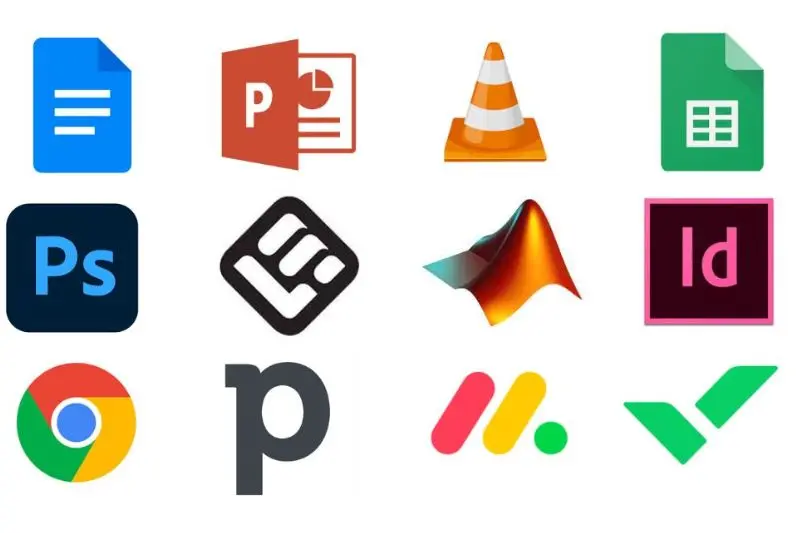
Word Processing Software
Word processing software allows users to create, edit, format, and print documents.
Examples
- Microsoft Word
- Google Docs
- LibreOffice Writer
Uses
- Writing reports
- Creating assignments
- Drafting letters
- Producing business documents
- Preparing academic papers
Spreadsheet Software
Spreadsheet applications help users organize, calculate, and analyze data.
Examples
- Microsoft Excel
- Google Sheets
- LibreOffice Calc
Uses
- Budget management
- Financial analysis
- Data reporting
- Record keeping
- Statistical calculations
Presentation Software
Presentation software enables users to create visual presentations for educational and business purposes.
Examples
- Microsoft PowerPoint
- Google Slides
- Apple Keynote
Uses
- Classroom presentations
- Business meetings
- Project proposals
- Training sessions
- Marketing presentations
Database Software
Database software stores, manages, and retrieves large amounts of information.
Examples
- Microsoft Access
- MySQL
- Oracle Database
Uses
- Customer records
- Inventory management
- Employee databases
- Financial information storage
- Data analysis
Graphics and Design Software
These applications help users create and edit images, illustrations, and visual content.
Examples
- Adobe Photoshop
- Adobe Illustrator
- CorelDRAW
- Canva
Uses
- Graphic design
- Photo editing
- Marketing materials
- Digital artwork
- Branding projects
Web Browsers
Web browsers allow users to access websites and online services.
Examples
- Google Chrome
- Mozilla Firefox
- Microsoft Edge
- Safari
Uses
- Internet browsing
- Online research
- Web applications
- Digital communication
- Accessing cloud services
Communication Software
Communication software helps individuals and organizations communicate effectively.
Examples
- Zoom
- Microsoft Teams
- Skype
Uses
- Video conferencing
- Instant messaging
- Online collaboration
- Remote work
- Team communication
Multimedia Software
Multimedia software enables users to play, edit, and manage audio and video content.
Examples
- VLC Media Player
- Windows Media Player
- Adobe Premiere Pro
Uses
- Video editing
- Audio playback
- Media management
- Content creation
- Digital publishing
Advantages of Application Software
Application software provides numerous benefits that make work easier, faster, and more efficient for users across different industries.
Increased Productivity
Application software helps users complete tasks quickly and accurately. Features such as automation, templates, and data processing tools reduce manual effort and save time.
Improved Communication
Modern communication applications allow people to connect instantly regardless of their location.
Examples include:
- Zoom
- Microsoft Teams
- Skype
These tools support messaging, voice calls, video conferencing, and online collaboration.
Better Data Management
Businesses and organizations use application software to store, organize, and retrieve information efficiently.
Benefits include:
- Improved accuracy
- Faster access to information
- Better decision-making
- Enhanced reporting capabilities
Enhanced Creativity
Design and multimedia applications provide powerful tools for creating visual and digital content.
Examples include:
- Adobe Photoshop
- Canva
- Adobe Premiere Pro
- CorelDRAW
These applications help users create professional-quality graphics, videos, and marketing materials.
Automation of Repetitive Tasks
Many software applications automate routine activities such as calculations, scheduling, and reporting.
Automation helps:
- Reduce errors
- Increase efficiency
- Save time
- Improve workflow management
Accessibility
Modern applications can be accessed from computers, tablets, and smartphones, allowing users to work from virtually anywhere.
Collaboration
Cloud-based applications make teamwork easier by enabling multiple users to work on the same project simultaneously.
Disadvantages of Application Software
Although application software offers many advantages, it also has certain limitations.
High Cost
Some professional software applications require expensive licenses or subscriptions.
Examples include:
- Adobe Creative Cloud
- Enterprise business software
- Specialized engineering applications
Hardware Requirements
Advanced software often requires powerful hardware to operate smoothly.
Users may need:
- Faster processors
- Additional memory
- Better graphics capabilities
- Increased storage capacity
Security Risks
Outdated software can expose systems to security threats.
Common risks include:
- Malware attacks
- Data breaches
- Unauthorized access
- Software vulnerabilities
Regular updates are essential for maintaining security.
Compatibility Issues
Some applications may not work properly across different operating systems or device types.
This can create challenges when sharing files or collaborating between platforms.
Maintenance Requirements
Software often requires updates, patches, and technical support to remain secure and functional.
Difference Between System Software and Application Software
| Feature | System Software | Application Software |
|---|---|---|
| Purpose | Manages computer operations | Performs specific user tasks |
| User Interaction | Limited direct interaction | Direct interaction with users |
| Dependency | Operates independently | Requires system software |
| Installation | Usually pre-installed | Installed according to user needs |
| Examples | Windows, Linux, Drivers | Word, Excel, Photoshop |
Real-World Applications of Application Software
Education
Educational institutions rely heavily on application software for teaching and learning.
Examples:
- Learning Management Systems
- Online classroom platforms
- Educational applications
- Digital libraries
Benefits:
- Remote learning
- Interactive lessons
- Easy access to educational resources
- Better student engagement
Business
Businesses use application software to improve operations and productivity.
Examples:
- Accounting software
- Payroll systems
- Customer Relationship Management (CRM) software
- Project management tools
Benefits:
- Better organization
- Improved customer service
- Efficient resource management
- Increased profitability
Healthcare
Healthcare organizations use specialized software for patient care and administration.
Examples:
- Electronic Health Records (EHR)
- Hospital management systems
- Medical billing software
- Telemedicine applications
Benefits:
- Improved patient management
- Accurate record keeping
- Faster healthcare services
- Better communication among healthcare providers
Entertainment
Application software plays a major role in the entertainment industry.
Examples:
- Streaming platforms
- Gaming applications
- Music players
- Video editing software
Benefits:
- Easy access to content
- Interactive entertainment
- Digital content creation
- Personalized experiences
Banking and Finance
Financial institutions depend on application software for secure transactions and customer services.
Examples:
- Online banking applications
- Mobile payment systems
- Investment platforms
Benefits:
- Faster transactions
- Better security
- Improved customer convenience
Future of Application Software
Technology continues to transform the software industry. Future application software will become more intelligent, efficient, and user-focused.
Artificial Intelligence (AI)
AI-powered applications can automate tasks, provide recommendations, and improve decision-making.
Cloud Computing
Cloud-based software allows users to access applications and data from anywhere with an internet connection.
Machine Learning
Machine learning helps software learn from data and improve performance over time.
Mobile Applications
The growing use of smartphones has increased demand for mobile-friendly applications.
Virtual Reality and Augmented Reality
VR and AR technologies are creating immersive experiences in education, gaming, healthcare, and business.
Internet of Things (IoT)
Software is increasingly being integrated with connected devices, allowing smarter homes, workplaces, and industries.
Cybersecurity Enhancements
Future software solutions will include stronger security features to protect users and organizations from cyber threats.
FAQs
What is software?
Software is a collection of programs, instructions, and data that tell a computer or digital device how to perform specific tasks. It enables hardware components to function properly and helps users interact with technology.
What is application software?
Application software is a type of software designed to help users perform specific tasks such as writing documents, browsing the internet, editing photos, creating presentations, managing databases, and communicating online.
What is the difference between software and application software?
Software is a broad term that includes all programs used by a computer system, while application software is a specific category of software created to help users complete particular tasks.
What are the main types of software?
The two main types of software are:
System Software
Application Software
System software manages hardware and system operations, while application software helps users perform specific activities.
Conclusion
Software is the foundation of modern computing and plays a critical role in enabling digital devices to function effectively. It consists of programs and instructions that control computer operations and support a wide range of activities. Without software, computer hardware would be unable to perform meaningful tasks.
Application software is a specialized category of software designed to help users perform specific tasks such as creating documents, analyzing data, browsing the internet, communicating with others, managing information, and producing multimedia content. It serves as the primary way users interact with technology and has become an essential part of everyday life.
From education and healthcare to business, finance, and entertainment, application software supports countless activities that improve efficiency, productivity, communication, and creativity. As technologies such as artificial intelligence, cloud computing, machine learning, virtual reality, and the Internet of Things continue to evolve, application software will become even more powerful and valuable.
Understanding software and application software helps users make better use of technology, improve digital skills, and prepare for an increasingly connected and technology-driven future.