Introduction
- Images have become one of the most important parts of digital communication. From websites and online stores to blogs, social media platforms, and professional portfolios, visuals help people understand information faster and connect with content more effectively. A high-quality image can attract attention, explain a product, strengthen a brand identity, and improve the overall user experience. However, there is one common challenge that almost every website owner, creator, and digital professional faces: large image file sizes.
- Large images often contain a huge amount of data, which can make websites slower and less efficient. When visitors open a webpage filled with heavy images, their browser needs more time to download and display those files. This can lead to slow loading speeds, frustrated users, and even lower engagement. In today’s fast-paced online environment, people expect websites to load almost instantly, especially when browsing on mobile devices or slower internet connections.
- This is where the best online image compression tools without losing quality become extremely valuable. These tools allow users to reduce image file sizes while preserving important visual details. Instead of replacing high-quality images with smaller, blurry versions, modern compression technology creates optimized files that maintain sharpness, colors, and overall appearance.
- Many beginners believe that image compression always damages quality. This misunderstanding often prevents people from optimizing their images properly. In reality, advanced compression techniques can remove unnecessary data from image files while keeping the parts that matter most. The result is an image that looks nearly identical to the original but takes up much less space.
- For website owners, image optimization is not just about saving storage. It directly affects website performance, user experience, and overall digital success. A faster website can keep visitors engaged, improve browsing comfort, and make online content more accessible. Whether someone is managing a personal blog, running an eCommerce store, or creating a professional website, optimized images are an essential part of a successful online presence.
- The need for efficient image compression has grown because digital content continues to become more visual. People now upload thousands of images every day across different platforms. Businesses use product photos to attract customers, photographers showcase their work through online galleries, and content creators rely on visuals to make their posts more engaging. Without proper optimization, these images can quickly become a burden.
- The best online image compression tools without losing quality provide a simple solution for this problem. They are designed to make the process easy, even for users who do not have advanced technical knowledge. Most tools work directly in a web browser, allowing users to upload an image, adjust settings, and download a smaller version within a few moments.
- Another advantage of online compression tools is convenience. Traditional image editing software can be expensive, complicated, and time-consuming. Many users do not need advanced editing features when their main goal is simply to reduce image size. Online tools provide a faster alternative by focusing on one specific task: improving image efficiency.
- Different types of users benefit from image compression in different ways. Bloggers can optimize article images to improve page speed. Online store owners can compress product pictures so customers can browse items more smoothly. Students and professionals can reduce file sizes before sharing presentations or documents. Social media users can prepare images that upload quickly while maintaining good quality.
- Image compression also plays an important role in mobile browsing. A large percentage of internet users access websites through smartphones. Mobile networks can sometimes be slower than desktop connections, making optimized images even more important. Smaller image files require less data to load, helping users access content faster and more conveniently.
- Another important factor is storage management. High-resolution images can consume significant space on servers, computers, and cloud storage platforms. Over time, thousands of unoptimized images can create unnecessary storage problems. Compression helps organize digital files more efficiently and reduces the amount of space needed to keep important visuals.
- However, effective image compression requires the right approach. Simply reducing file size as much as possible is not always the best strategy. If compression settings are too aggressive, images may lose important details, appear blurry, or show unwanted visual changes. The goal is to find a balance between smaller file size and professional image quality.
- Understanding the difference between file size and image quality is essential for anyone working with digital content. A smaller image does not automatically mean a better image. The best results come from using smart compression methods that remove unnecessary information while preserving the elements viewers notice.
- Modern image compression tools support multiple formats, each designed for different purposes. Some formats work better for photographs, while others are ideal for graphics, logos, or images with transparent backgrounds. Choosing the correct format before compression can significantly improve results.
- For example, a detailed photograph usually requires a different approach than a simple website icon. A product image for an online store needs to remain clear enough for customers to examine details, while a small decorative graphic may require much less information. Understanding these differences helps users make better optimization decisions.
- The best online image compression tools without losing quality also help businesses create better digital experiences. A website that loads quickly feels more professional and reliable. Visitors are more likely to explore pages, read content, and interact with a site when they are not waiting for images to appear.
- In addition, image optimization supports better website management. When files are smaller, backups become easier, content updates become faster, and overall website maintenance becomes simpler. These small improvements can make a significant difference over time.
- Learning how to compress images properly is a useful skill for beginners and intermediate users alike. It does not require complicated technical knowledge, but it does require awareness of file formats, quality settings, and the purpose of each image. With the right tools and techniques, anyone can create optimized visuals that look professional.
- This guide will explore everything you need to know about the best online image compression tools without losing quality. It will explain how these tools work, why they are important, their benefits, possible disadvantages, common mistakes, and expert recommendations. By the end, you will understand how to reduce image sizes effectively while keeping your visuals clear, attractive, and ready for the digital world.
What is Best Online Image Compression Tools Without Losing Quality?
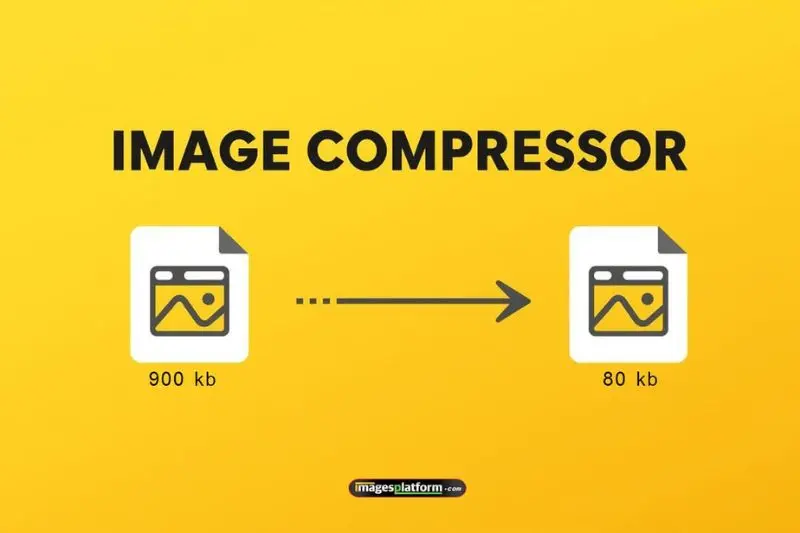
- Best online image compression tools without losing quality are web-based platforms that reduce the file size of images while maintaining their original visual appearance. These tools analyze image data and remove unnecessary information that does not significantly affect how the image looks.
- Image compression generally works in two ways: lossless compression and lossy compression. Lossless compression reduces file size while preserving all image information. Lossy compression removes some data to achieve a much smaller file size, but good tools do this carefully so the changes are difficult to notice.
Online compression platforms usually support popular formats such as:
- JPEG for photographs and detailed images
- PNG for graphics and transparent backgrounds
- WebP for modern web performance
- GIF for simple animations
- The main goal is to create smaller images that load faster. A compressed image should maintain its colors, details, and overall quality while taking less storage space.
- For example, a high-resolution product photo may be several megabytes before optimization. After compression, it may become a few hundred kilobytes while still appearing almost identical to visitors.
- The best online image compression tools without losing quality are designed for convenience. Users do not need advanced editing skills or expensive software. They can upload an image, select settings, and download an optimized version within minutes.
- These tools are especially useful for website owners, bloggers, photographers, students, and businesses that regularly handle digital images.
Why is Best Online Image Compression Tools Without Losing Quality Important?
- Image optimization plays an important role in improving digital experiences. Large image files can negatively affect websites, applications, and online content. Using the best online image compression tools without losing quality helps solve these problems efficiently.
- One major advantage is faster website performance. When images are smaller, browsers can load them more quickly. Faster pages usually create better user experiences and can encourage visitors to stay longer.
- Search engines also consider page speed when evaluating websites. Optimized images support better technical performance, which can contribute to stronger visibility in search results.
Other reasons image compression matters include:
- Reducing website loading time
- Saving server storage space
- Lowering bandwidth usage
- Improving mobile browsing experiences
- Making websites easier to manage
- Sharing images faster online
- For businesses, compressed images can improve customer satisfaction. A visitor who sees a fast-loading online store is more likely to browse products and complete purchases.
- For content creators, compression makes it easier to publish articles, portfolios, and creative projects without worrying about large file sizes.
- Another important benefit is compatibility. Smaller images are easier to upload to different platforms, including websites, email systems, and social networks.
- Without proper compression, images may become a hidden problem. A website may look attractive but perform poorly because heavy files slow everything down.
- Learning how to optimize images properly is therefore an important part of modern digital publishing.
Detailed Step-by-Step Guide
Step 1: Choose the Right Image Compression Tool
The first step is selecting a reliable compression platform. Beginners should look for tools with a simple interface, support for common file types, and clear download options.
A good tool should offer:
- Easy image uploading
- Quality adjustment settings
- Multiple format support
- Preview features
- Safe file handling
Different users may need different features. A blogger might need quick compression, while a designer may want more control over quality settings.
Step 2: Understand Your Image Format
Before compressing an image, identify the file type. The format affects both quality and size.
JPEG images work well for photographs because they handle many colors efficiently. PNG files are better for logos, icons, and images requiring transparency.
Newer formats can also provide better results. Some modern formats offer smaller file sizes while keeping excellent quality.
Choosing the correct format before compression often creates better results.
Step 3: Upload Your Image
Most online compression platforms allow users to drag and drop files directly into the tool. After uploading, the system analyzes the image and prepares it for optimization.
At this stage, avoid uploading extremely sensitive or private images unless you trust the service. Always consider security when using online tools.
Step 4: Adjust Compression Settings
Many tools provide different compression levels. Higher compression creates smaller files, while lower compression keeps more detail.
A balanced setting is usually the best option. The goal is not simply to create the smallest file but to maintain a professional appearance.
Check areas like:
- Text clarity
- Facial details
- Colors
- Edges
- Background quality
If the image still looks clear, the compression level is suitable.
Step 5: Preview the Result
Before downloading, compare the original image with the compressed version. A preview helps identify noticeable changes.
Look carefully for:
- Blurry areas
- Color changes
- Lost details
- Strange artifacts
A good compression result should look almost the same as the original.
Step 6: Download and Test the Image
After compression, download the optimized file and test it where you plan to use it.
For websites, check how the image appears on desktop and mobile devices. For social media, confirm that the platform displays the image correctly.
Testing prevents unexpected quality issues.
Step 7: Organize Optimized Images
After creating compressed versions, keep your files organized. Use clear names so you can easily identify original and optimized images.
A simple organization system saves time when managing large collections of visuals.
Benefits of Best Online Image Compression Tools Without Losing Quality
Using the best online image compression tools without losing quality provides several advantages for individuals and businesses.
- Faster website performance: Smaller images load quickly and create smoother browsing experiences.
- Better user experience: Visitors are more likely to interact with websites that respond quickly.
- Improved mobile performance: Compressed images help users with slower connections access content easily.
- Storage savings: Smaller files require less space on devices and servers.
- Easier sharing: Optimized images upload faster through email, messaging apps, and online platforms.
- Professional appearance: Proper compression keeps images sharp and visually appealing.
- Cost efficiency: Reduced storage and bandwidth usage can lower operational expenses.
- Better workflow: Quick online tools save time compared with complicated editing software.
Another important benefit is accessibility. Users around the world may access websites through different devices and internet speeds. Smaller images help create a more inclusive browsing experience.
For photographers and designers, compression allows them to showcase work online without overwhelming visitors with large files.
For businesses, image optimization supports better customer journeys. Product pages become easier to browse, and customers can view images without frustrating delays.
Overall, image compression is a simple process that creates long-term advantages.
Disadvantages / Risks
Although compression offers many benefits, there are some risks to consider.
- Excessive compression may reduce image quality and create visible problems.
- Some tools may remove important image details during optimization.
- Free online platforms may have limits on file size or usage.
- Uploading private images to unknown services can create security concerns.
- Some compressed files may not work correctly on older systems.
- Poor settings can cause color changes or blurry results.
The biggest mistake is focusing only on reducing file size. A tiny image is not useful if it no longer looks professional.
Users should always review the final result before publishing. A balance between size and quality is essential.
It is also important to choose trustworthy tools. Avoid platforms that request unnecessary information or create suspicious download options.
Common Mistakes to Avoid
Many users make simple mistakes when compressing images. Avoiding these issues helps achieve better results.
One common mistake is compressing images multiple times. Repeated compression can gradually reduce quality, especially with lossy formats.
Another mistake is using the wrong format. Saving every image as the same file type can create unnecessary large files or quality issues.
Users also often ignore image dimensions. A large image that only appears in a small space does not need its original resolution.
Other mistakes include:
- Choosing maximum compression without checking quality
- Forgetting to keep original backups
- Uploading unnecessary high-resolution images
- Ignoring mobile optimization
- Not testing images after compression
- Using unreliable compression websites
A better approach is to understand the purpose of each image. A small website icon and a full-screen photograph have different requirements.
Always consider where the image will appear before deciding the compression level.
FAQs
Can image compression reduce quality?
Yes, some compression methods can reduce quality, especially when using aggressive lossy settings. However, modern tools are designed to minimize visible changes. The best online image compression tools without losing quality maintain excellent clarity while reducing file size.
What is the best image format for compression?
The best format depends on the image type. JPEG is commonly used for photographs, PNG works well for graphics, and newer formats can provide efficient web performance. Selecting the right format improves both quality and file size.
Are online image compression tools safe?
Many online tools are safe, but users should choose carefully. Avoid uploading private or confidential images to unknown services. Check whether the platform has clear privacy practices before using it.
How much can image size be reduced?
The reduction depends on the original file, format, and compression settings. Some images can become much smaller while looking almost identical. Results vary depending on image complexity.
Does compressing images improve SEO?
Compressed images can improve website speed, and faster websites often provide better user experiences. Image optimization is one part of overall website performance.
Can beginners use image compression tools?
Yes. Most online tools are designed for beginners. The process usually involves uploading an image, selecting settings, and downloading the optimized file.
Expert Tips & Bonus Points
- Professionals often follow a few simple practices to get the best compression results.
- First, always start with a high-quality original image. Compressing an already poor-quality image usually creates worse results.
- Second, resize images before compression when necessary. A smaller dimension often reduces file size significantly.
- Third, compare different settings. A small adjustment can sometimes save many kilobytes while keeping the same appearance.
Additional expert tips include:
- Keep original files stored safely
- Use consistent image naming
- Optimize images before uploading
- Check images on multiple devices
- Choose formats based on purpose
- Avoid unnecessary image effects
- For websites, consider creating a regular optimization routine. New images should be compressed before publishing rather than after problems appear.
- Another useful tip is to focus on user experience. A slightly larger image that looks excellent may be better than an extremely small image that appears damaged.
- Image compression is not about removing quality. It is about finding the right balance between performance and appearance.
Conclusion

- The best online image compression tools without losing quality make it easier for anyone to optimize images quickly and effectively. Whether you run a website, manage an online store, create content, or simply share photos, image optimization helps improve speed and usability.
- Large image files can create unnecessary challenges, but the right compression approach solves these issues without sacrificing visual appeal. By choosing suitable formats, adjusting settings carefully, and reviewing results, users can create images that look professional and load efficiently.
- Image compression is no longer a task limited to experts. Beginners can now use simple online solutions to reduce file sizes, improve performance, and manage digital content more effectively.
- The key is to avoid extreme compression and focus on balance. A well-optimized image should maintain its clarity while becoming easier to store, share, and display.
- As online experiences continue to become more visual, image optimization will remain an important skill. Learning how to compress images properly helps create faster websites, better user experiences, and more successful digital projects.
- With the right knowledge and careful choices, anyone can enjoy the benefits of smaller image files without losing the quality that makes visuals powerful.